

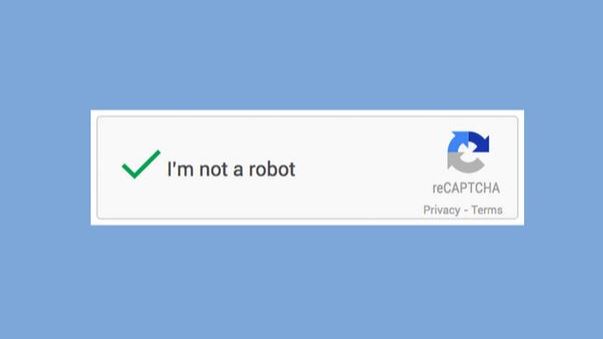
CAPTCHA, which stands for ‘Completely Automated Public Turing test to tell Computers and Humans Apart,’ is a common security feature on websites. Its primary goal is to determine whether the user is a human or a bot.
Websites are constantly under threat from automated bots that can perform actions like spamming forms, creating fake accounts, or scraping data. CAPTCHA helps filter out this non-human traffic.
One of the most common uses of CAPTCHA is during login or registration. This prevents bots from mass-creating accounts, which could be used for scams, spam, or data harvesting.
Another important application is protecting online polls or votes. Without CAPTCHA, a bot could vote thousands of times and skew the results.
CAPTCHA also helps defend against brute-force attacks. Bots trying to guess login credentials will be blocked after failing CAPTCHA tests repeatedly.
Web scraping is another issue websites face. CAPTCHA makes it harder for bots to harvest content or data automatically from the site.
Online ticket sales or reservations often use CAPTCHA to prevent bots from hoarding tickets and reselling them at inflated prices.
Modern CAPTCHAs are more user-friendly than older ones. Google’s reCAPTCHA, for example, often just asks users to click a checkbox or identify images.
Some CAPTCHAs even test subtle human behaviors like mouse movement and typing rhythm to determine if the user is real.
For e-commerce websites, CAPTCHA is essential in preventing fake reviews, fraudulent purchases, or automated cart manipulation.
Banking and financial platforms use CAPTCHA to prevent credential stuffing attacks and unauthorized logins from bots.
CAPTCHA helps preserve website bandwidth and server resources by blocking malicious traffic that doesn’t provide real value.
For forums and blogs, CAPTCHA reduces comment spam by forcing users to prove they’re not automated systems.
Even online games use CAPTCHA to prevent bots from automating gameplay, farming items, or ruining fair play.
It’s also used in email subscription forms to block bots from flooding mailing lists with fake email addresses.
Some sites use CAPTCHA during checkout processes to stop bots from scalping products, especially during high-demand launches.
The effectiveness of CAPTCHA lies in the assumption that most bots can’t interpret distorted images, complex puzzles, or behavioral cues.
Audio CAPTCHAs are available for visually impaired users, making the system more accessible while still being secure.
In some cases, CAPTCHA is combined with timeouts or IP analysis to provide layered security against automated threats.
CAPTCHA is not perfect and can sometimes be bypassed by advanced bots or solved by paid CAPTCHA-solving services.
Despite its flaws, CAPTCHA significantly raises the cost and effort required to abuse a website, making it a strong deterrent.
There are invisible CAPTCHAs now that run in the background, scoring the likelihood of a user being a bot based on behavior.
Machine learning and AI have led to the development of smarter CAPTCHAs that adapt based on threat patterns.
Some websites require CAPTCHA only after multiple failed login attempts, balancing user experience and security.
Certain CAPTCHAs ask users to classify images, helping train AI systems while also blocking bots.
ReCAPTCHA v3 assigns a score to each user action, allowing the site to choose when to require further verification.
CAPTCHA contributes to internet safety by acting as a digital gatekeeper against fraud and abuse.
Web developers must choose the right type of CAPTCHA depending on their users and threat levels.
In the future, biometric alternatives like fingerprint or facial recognition may supplement or replace CAPTCHA.
Ultimately, CAPTCHA is a critical tool that protects users, businesses, and platforms from being overwhelmed by malicious bots.